
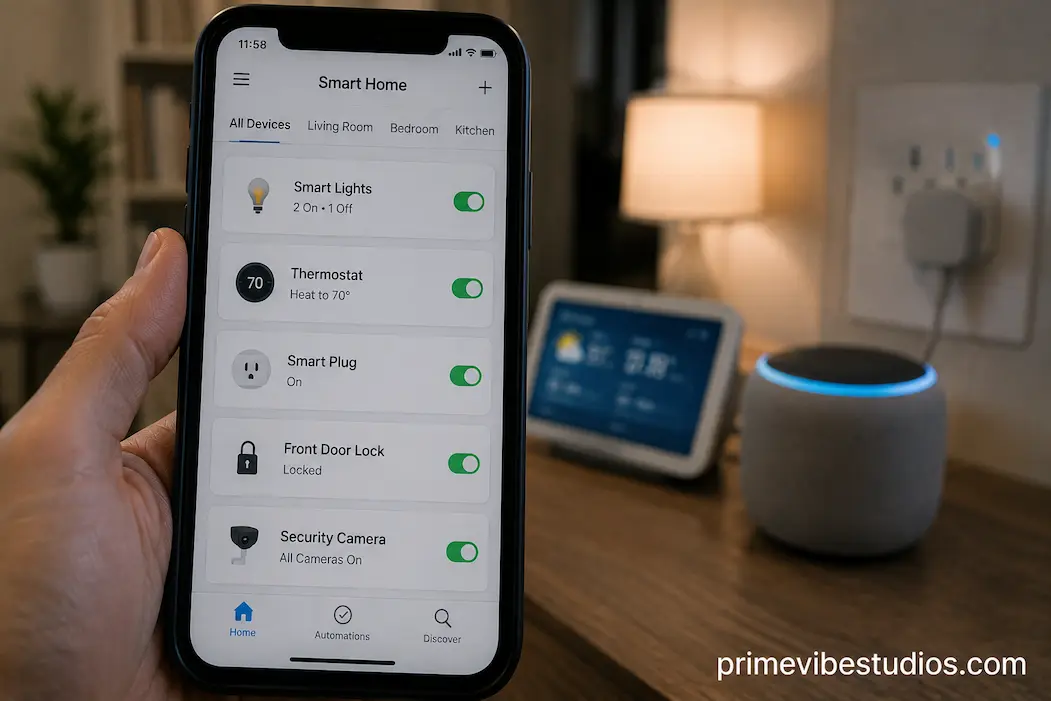
The easiest way to make a smart home unnecessarily complicated is to automate everything simply because you can. A light that turns on automatically can be genuinely useful. A coffee machine that starts itself at exactly the right time might save a little effort. But when dozens of devices, schedules, sensors, notifications, and voice commands begin interacting with each other, the convenience can disappear quickly. Instead of making everyday life easier, the home starts requiring its own maintenance routine.
A better approach is to automate the things that happen repeatedly, follow predictable patterns, or become annoying when you have to do them manually. Lighting, plugs, climate controls, and a few strategically placed sensors are often better starting points than trying to connect every appliance in the house. The goal isn’t to create the most complicated smart home possible. It is to remove small, repeated tasks that genuinely interrupt your day.
This also gives beginners an easier way to evaluate whether a smart-home ecosystem is actually working for them. Start with one or two automations, use them for a while, and pay attention to whether they become invisible conveniences or additional things you have to manage. The difference tells you a lot about what is worth automating next.
Start With Tasks You Already Repeat
The best automation candidates are usually not the most impressive devices. They are the tasks you perform so frequently that you barely notice them anymore.
Turning off lights before bed, switching a lamp on when it gets dark, adjusting the temperature during the day, or turning a device off when you leave home are all examples of predictable actions. If you already perform the same action at roughly the same time or under the same circumstances, a smart-home routine can often handle it more consistently than you can.
By contrast, automating something you rarely do provides little benefit. Spending an hour designing a complicated routine that saves you ten seconds once a month isn’t particularly smart. Automation should reduce friction, not create a technical hobby you have to maintain.
A useful question is: “Would I still want this automation if I couldn’t tell anyone about it?” If the answer is yes because it genuinely makes your day easier, it is probably worth considering.
Smart Lighting Is Usually The Best First Step
Lighting is one of the easiest areas to automate because its actions are predictable and the benefits are immediately noticeable.
You can schedule outdoor lights to come on in the evening, turn off bedroom lighting at bedtime, or use motion sensors to illuminate a hallway when someone walks through it. You can also create routines that control several lights at once rather than adjusting each one separately.
The most useful lighting automations tend to respond to something meaningful rather than simply following a rigid schedule. For example, turning a hallway light on when motion is detected during nighttime hours can be more useful than having it switch on at exactly 11:00 p.m. every evening.
This is also an area where you can start small. One lamp or one frequently used room is enough to see if automation fits your routine. If it works well, you can expand gradually without turning the entire house into a complicated project.
Why Lighting Works So Well
Lighting has three qualities that make it particularly suitable for automation: it is frequently used, its actions are easy to understand, and mistakes are generally low-risk.
If a light comes on when you don’t need it, the consequence is usually minor. You can adjust the routine and move on. That makes lighting a useful place to experiment with motion sensors, schedules, sunset triggers, and presence-based routines.
There is also an important psychological benefit. Good lighting automation becomes almost invisible. You stop thinking about the technology and simply notice that the room is illuminated when you need it.
That is a better measure of smart-home success than the number of automations listed inside an app.
Smart Plugs Are Surprisingly Useful
Smart plugs are another strong starting point because they can add automation to ordinary electrical devices without replacing the device itself.
A lamp is the obvious example, but there are many other possibilities. You might use a smart plug to switch a particular device on or off according to a schedule, or to make something easier to control from a central routine.
The important limitation is that a smart plug only makes sense when the connected appliance behaves properly when power is restored. Some devices remember their previous state, while others remain off until you press a physical button. Before using a smart plug to automate something, always check how the appliance works.
This is especially important for anything that produces heat, moves mechanically, or could create a safety issue if switched on unexpectedly. Automation should never replace basic safety considerations.
For simple, low-risk devices, however, smart plugs can provide a lot of usefulness without requiring you to replace existing equipment.
Automate The Boring Stuff
A simple smart plug automation often solves an annoying little problem rather than doing something spectacular.
Perhaps you regularly forget to turn a particular lamp off. Maybe a device only needs power during certain hours. Or perhaps you want a simple evening routine that shuts down several non-essential devices at once.
These are small improvements, but they can add up.
The best smart-home automation often isn’t something you show visitors. It is something you stop noticing because it quietly handles a task you used to repeat every day.
Motion Sensors Can Make Automation More Natural
Motion sensors become useful when you want a smart home to respond to what is actually happening rather than simply following a clock.
Consider a hallway. A schedule might turn the light on every evening at 7:00 p.m., but that doesn’t mean somebody will be walking through the hallway at 7:00. A motion-based routine can react when someone actually enters the area.
This makes automation feel more natural.
Motion sensors can work well for corridors, bathrooms, utility areas, storage spaces, and other places where lights don’t need to remain on continuously. They can also be combined with time conditions so that the behavior changes depending on the hour.
For example, during the daytime, motion could trigger normal lighting. During the middle of the night, the same sensor could activate a dimmer light instead.
The value comes from combining a trigger with a sensible condition, rather than simply making every detected movement activate every device.
Be Careful With Motion-Based Automations
Motion sensors aren’t perfect.
A person sitting still may not trigger additional motion events, while pets can sometimes trigger sensors unexpectedly. Sensor placement also matters, and different technologies detect movement in different ways.
This means you shouldn’t depend on a motion sensor for every situation.
If a light turns off while you’re sitting quietly in a room, the automation has technically worked according to its rules but failed according to your expectations. Adding an appropriate delay or using another type of sensor may solve the problem.
Good automation is therefore partly about understanding the limitations of the sensor. Don’t just ask what the sensor can detect. Ask whether its detection behavior matches the situation in which you plan to use it.
Thermostats Can Be Worth Automating
Climate control is another area where automation can provide meaningful benefits, particularly if your home has a compatible smart thermostat or heating-control system.
A thermostat can adjust temperatures according to schedules, occupancy patterns, or other conditions. Instead of maintaining the same setting all day, you can create different behavior for sleeping hours, working hours, evenings, and periods when nobody is home.
The potential benefit is greater when your household follows a reasonably predictable routine.
However, temperature automation needs more thought than turning a light on and off. Comfort, weather conditions, building insulation, heating-system behavior, and local energy costs all influence whether a particular routine makes sense.
A poorly designed schedule can make the home uncomfortable or cause the heating and cooling system to work in ways you didn’t intend. Start with modest adjustments and monitor the results rather than immediately creating an elaborate temperature program.
Occupancy Automation Can Be More Useful Than A Fixed Schedule
A fixed schedule assumes your day always follows the same pattern.
Real life rarely does.
If your smart-home system can reliably determine whether somebody is home, occupancy-based automation can sometimes be more practical. The home can respond to actual circumstances instead of assuming that everyone left at exactly 8:00 a.m. and returned at 6:00 p.m.
But presence detection isn’t perfect either. Phones can lose connectivity, location permissions can change, and household members may have different schedules.
For that reason, occupancy automation works best when used thoughtfully and with sensible fallbacks. Don’t create a routine that makes an important decision based on a single unreliable signal.
Smart Blinds And Curtains Can Be Useful Later
Automated blinds can be appealing because they combine schedules with environmental conditions.
You might want blinds to open in the morning, close during intense afternoon sunlight, or adjust based on the time of day. In some homes, this can improve comfort without requiring constant manual adjustment.
But they aren’t necessarily the first smart-home investment for everyone.
Automated blinds can be pricier than smart bulbs or plugs, and installation can be more involved. If your main goal is simply learning how home automation works, lighting and sensors generally offer a cheaper way to start.
They become more compelling when you already know you want automation based on sunlight, privacy, temperature, or daily routines.
Security Devices Need More Careful Automation
Security-related devices can certainly benefit from automation, but this is an area where you should be more conservative.
Smart locks, cameras, alarms, door sensors, and other security equipment can interact with important parts of your home. An incorrect automation can therefore have consequences that are much more serious than a light turning on at the wrong time.
For example, automatically unlocking a door based solely on a phone’s location may sound convenient, but location data isn’t always perfectly reliable. Similarly, an automated alarm routine should have clear conditions and a reliable way to override it.
Start with low-risk security automations, such as notifications when a door is opened while you’re away, rather than immediately giving automated systems control over every security decision.
Convenience should not come at the expense of knowing what your home is doing.
Notifications Are Not Always Better
One common mistake is automating notifications instead of automating actions.
A smart sensor can send an alert every time a door opens, motion is detected, or something changes. At first this can feel useful. Eventually, constant alerts become background noise.
If you’re receiving ten notifications a day that don’t require action, the system isn’t making you more aware. It is training you to ignore notifications.
Before creating an alert, ask what you will actually do when it appears. If the answer is “nothing,” the notification may not be worth creating.
Don’t Automate Appliances Just Because They Are Smart
Smart appliances often come with impressive features, but that doesn’t mean every feature needs an automation.
A smart washing machine may notify you when a cycle ends. A smart oven may allow remote monitoring. A smart coffee maker may have scheduling functions.
Whether those features are useful depends on your routine.
For appliances involving heat, water, blades, or other potentially hazardous conditions, automation also requires extra caution. You should understand the manufacturer’s intended use and avoid creating routines that could cause an appliance to operate when nobody is available to monitor it.
Just because an appliance can be controlled remotely doesn’t mean it should be.
This is one of the most important distinctions in smart-home design: possible and useful are not the same thing.
A Good Automation Has A Clear Reason
Before creating any routine, write down what problem it is supposed to solve.
For example:
“I keep forgetting to turn off the hallway light at night.”
That is a clear problem with an obvious automation opportunity.
Compare it with:
“I want my hallway light to respond to seven different sensors, my location, the weather, and the time of day.”
That may eventually be useful, but it introduces unnecessary complexity if all you really wanted was to avoid leaving a light on.
Start with the simplest routine that solves the problem. If it doesn’t work well, add complexity gradually.
This approach also makes troubleshooting easier. When something fails, you can identify which part of the routine is responsible instead of trying to understand a complicated chain of conditions.
The Best Automations Usually Have Three Parts
You can understand most useful routines through three basic elements: trigger, condition, and action.
The trigger is what starts the routine. It could be a time, motion event, sunset, door opening, or another event.
The condition determines whether the action should happen. For example, you might want motion to trigger a light only after sunset.
The action is what the system actually does, such as turning on a light or changing a thermostat setting.
Thinking this way makes automation easier to design.
Consider a hallway example: motion detected is the trigger, it is nighttime is the condition, and turn on the hallway light is the action.
You don’t need complicated automation software to understand this structure. Once you start thinking in these terms, it becomes easier to identify which automations are genuinely useful and which ones are unnecessarily complicated.
Automate Based On Frequency, Not Novelty
When deciding what to automate next, look at the tasks that happen most frequently.
A ten-second task performed ten times every day may be a better automation candidate than a five-minute task performed once a month.
You can even keep a small mental list for a week. Whenever you find yourself repeatedly performing the same action, ask whether a smart device could handle it safely.
This turns smart-home planning into a practical exercise rather than a shopping exercise.
Instead of asking, “What smart device should I buy?” you’re asking, “What repetitive problem do I have?”
That shift can save money and produce a home that is actually more convenient.
Leave Some Things Manual
Not everything needs automation.
There is value in keeping certain controls simple and manual, particularly for devices that don’t follow predictable patterns. A physical light switch should remain useful even if the light is smart. Important appliances should have straightforward manual controls. Household members should be able to operate the home without understanding your automation system.
A smart home becomes frustrating when the technology gets in the way of ordinary use.
The best setup gives you more options rather than taking basic control away.
A Sensible Order For Your First Automations
If you’re starting from scratch, you don’t need to automate every room at once.
A practical progression might look like this:
First, automate one or two lights. This gives you a low-risk introduction to schedules, scenes, and motion triggers.
Next, try a smart plug. Choose a simple device where automated power control makes sense and doesn’t create a safety concern.
Then consider a motion or door sensor. Sensors allow your home to respond to events instead of relying entirely on schedules.
After that, explore climate automation if appropriate. A compatible thermostat can provide more meaningful long-term benefits than another novelty device.
Finally, consider more advanced routines. Once you understand how your ecosystem handles triggers, conditions, and actions, you can decide whether more complex automation is genuinely worthwhile.
The order isn’t a rule. It’s simply a way to build experience without making the system difficult to manage from the beginning.
Frequently Asked Questions
What Should I Automate First In A Smart Home?
Start with a repetitive, low-risk task that you already perform frequently. Lighting, smart plugs, and simple sensor-based routines are usually good starting points because the benefits are easy to notice and mistakes are relatively easy to correct.
Are Smart Lights Worth Automating?
They can be, especially in rooms where lights are frequently switched on and off. Motion triggers, schedules, sunset-based routines, and bedtime scenes can reduce repetitive tasks without making the system unnecessarily complicated.
Should I Automate My Smart Thermostat?
A smart thermostat can be worth automating if your heating or cooling needs follow a predictable pattern. Start with a simple schedule or modest temperature changes, then adjust the routine based on how your home actually behaves rather than assuming a complicated program will automatically save more energy.
Is It Safe To Automate Smart Appliances?
It depends on the appliance and how the manufacturer designed it to operate. Appliances involving heat, water, movement, or other hazards require particular caution. Remote control capability doesn’t automatically mean an appliance should be started without supervision.
How many smart home automations do I really need?
There is no useful target number. A home with five well-designed automations can be more convenient than one with fifty complicated routines. If an automation doesn’t save meaningful effort, improve comfort, or provide useful information, there may be little reason to keep it.