
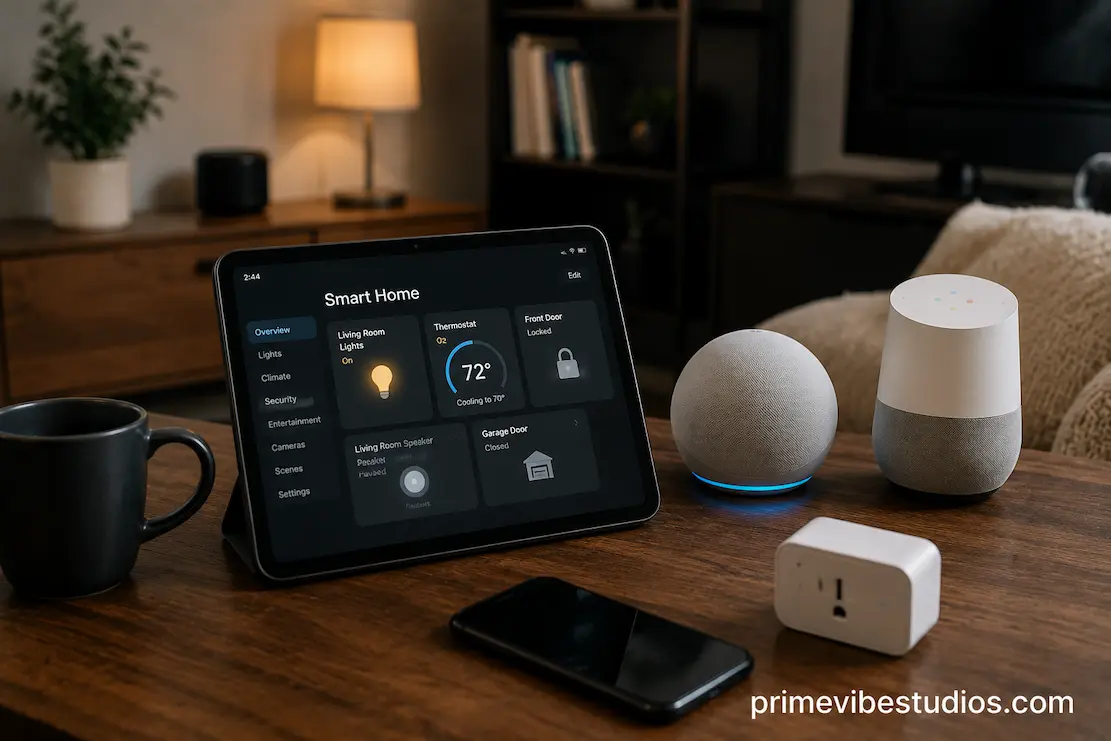
Buying your first smart-home device can seem simple. You find a smart bulb, speaker, plug, camera, or thermostat that looks useful, install the app, connect it to Wi-Fi, and start using it. The problem often appears later, when you decide to add something else and discover that the new device doesn’t work with the system you already have.
That is why choosing a smart-home ecosystem before buying your first devices can save considerable frustration. The ecosystem affects which products you can combine, which voice controls are available, how automations work, what apps you use, and how much freedom you have when expanding the setup later.
There isn’t one ecosystem that is automatically best for every home. The right choice depends on the phones and services you already use, the devices you want to control, your tolerance for complicated setup, and whether you care more about convenience, flexibility, local control, or future expansion. The smartest approach is to decide those priorities first and shop for individual devices afterward.
Start With The Home You Already Have
Before comparing ecosystems, look at the technology you already use.
If everyone in the household uses the same type of smartphone, that can influence which platform feels most convenient. Existing speakers, displays, streaming equipment, thermostats, security products, and other connected devices can matter too.
You don’t necessarily need to stay inside one manufacturer’s product family. Modern smart-home standards are designed to improve compatibility between products from different companies. Still, the services and apps you already rely on can make one ecosystem more convenient than another.
Think about the next two or three years rather than just your first purchase. A single smart plug is easy to replace. A home containing lights, sensors, cameras, speakers, switches, and routines becomes much harder to rebuild if you choose a system that doesn’t fit your needs.
The first question should therefore be surprisingly simple:
What do you already use, and what are you realistically likely to add?
An Ecosystem Is More Than A Brand
People often use “smart-home ecosystem” to describe a particular company’s collection of products, but the idea is broader than that.
An ecosystem can involve several layers:
- the controlling app
- voice assistants
- compatible devices
- automation routines
- wireless technologies
- account services
- cloud services
- smart-home standards
- local control options
A smart bulb might connect to your home network, appear inside a manufacturer’s application, and then become controllable through another platform. That means compatibility can exist at several levels.
Two products may both advertise compatibility with the same voice assistant but still offer different capabilities. One might support detailed automation while another only allows basic on/off commands.
This is why the phrase “works with” shouldn’t be treated as a guarantee that two devices will behave identically.
Before purchasing, check exactly what functionality is supported.
Don’t Choose Based Only On The First Device
Your first smart-home purchase can create a habit.
If you buy a smart bulb because it is inexpensive, you may later discover that its preferred app doesn’t work well with the other products you want. You can sometimes connect everything through another platform, but the setup may become more complicated than necessary.
Instead, imagine your likely first five or ten devices.
Maybe you want:
- smart lighting
- a smart speaker
- smart plugs
- a thermostat
- motion sensors
- door sensors
- a television connection
- security equipment
You don’t have to buy these all at once. The point is to see whether the ecosystem makes sense as it grows.
A system that is excellent for three lights might not be ideal if you eventually want a large network of sensors and automations.
Matter Changes The Compatibility Conversation
One of the most important developments in smart-home compatibility is Matter, an industry-backed standard intended to make compatible smart-home devices work across multiple major platforms.
Matter can make choosing products less restrictive than it used to be. A compatible device may be able to work with more than one major smart-home platform, reducing the risk of becoming completely locked into a single ecosystem.
But Matter doesn’t mean every smart-home product is interchangeable in every situation.
Device capabilities can vary. A product may support Matter for basic functions while offering additional features through its manufacturer’s own application. Some advanced functions may depend on the platform you use.
There are also other technologies involved in the connection between devices and your home network. Thread, for example, is a low-power mesh networking technology used by some smart-home products and can be part of a Matter setup.
So when shopping, don’t stop at the words “Matter compatible.” Check what the device actually supports and which features remain available on your chosen platform.
Wi-Fi Isn’t The Only Connection Technology
Many people assume that every smart-home product simply connects directly to the household Wi-Fi network.
That’s not always the case.
Some devices use Wi-Fi. Others may use Bluetooth, Thread, Zigbee, or another technology. Certain setups use a hub or controller to connect devices that don’t communicate directly with your normal Wi-Fi network.
Each approach has advantages and disadvantages.
Wi-Fi devices can be convenient because they may connect directly to an existing network, but filling your network with large numbers of connected devices isn’t necessarily ideal for every home.
Low-power technologies can be useful for battery-powered sensors and other devices that don’t need high bandwidth. Some mesh technologies can also allow compatible devices to communicate across the home.
The important point isn’t that one technology is always superior. It’s understanding what your chosen ecosystem uses and whether your home is suited to it.
Decide How Much You Care About Simplicity
Some people want smart-home technology to disappear into the background.
They would rather not understand protocols, hubs, bridges, network settings, or automation logic. They want to say a command, tap a button, or have something happen automatically.
If that sounds like you, prioritize an ecosystem with straightforward setup and a consistent app experience.
Other people enjoy experimenting. They may be comfortable using different manufacturers, creating complex automations, troubleshooting compatibility, or managing several technologies.
For them, flexibility may be more important than simplicity.
Neither approach is wrong. The mistake is choosing a system designed for one type of user and then discovering that it doesn’t match how you actually want to manage your home.
Think About Automation Before Buying Automation Devices
Smart-home automation is where ecosystems become genuinely useful.
Turning a light on from your phone is convenient, but an automation can do something more valuable. A motion sensor might trigger a hallway light at night. You can also set a smart plug to turn off equipment at a scheduled time. A routine could adjust several devices at once when you leave home.
But different platforms don’t always offer the same automation possibilities.
One ecosystem may provide simple routines that are straightforward to create. Another may offer more advanced conditions, triggers, and interactions.
Think about the routines you would actually use.
For example:
When I leave home: turn off selected lights and plugs.
At bedtime: turn off downstairs lighting and activate selected security devices.
In the morning: gradually turn on lights in certain rooms.
When motion is detected at night: illuminate a hallway without turning on the entire house.
If your preferred ecosystem can handle the routines you care about, that’s more meaningful than a long compatibility list filled with devices you will never purchase.
Consider What Happens When The Internet Goes Down
Cloud dependence is easy to ignore while everything works.
Then the internet connection fails.
Some smart-home devices become limited or unavailable when their cloud service cannot be reached. Others can continue performing certain functions locally.
This difference may not matter much for a decorative light. It can matter more for devices you depend on every day.
Ask how important local operation is for your setup.
You don’t necessarily need a completely offline smart home. Cloud services can provide remote access, synchronization, notifications, voice processing, backups, and other useful features.
But understanding which functions depend on an internet connection helps you avoid unpleasant surprises.
For important devices, knowing what happens during an outage is part of choosing the ecosystem—not something to investigate after you have already bought everything.
Privacy Should Be Part Of The Decision
Smart-home devices can collect information about how you interact with your home.
Depending on the device, that can include usage patterns, voice interactions, sensor activity, locations, recordings, device identifiers, or other information.
This doesn’t mean smart-home products are inherently unsafe or that cloud services should always be avoided. It means privacy should be considered before you build a large collection of connected devices.
Look at the manufacturer’s privacy practices and account-security options. Check whether two-factor authentication is available, what information the device collects, and whether certain features require cloud processing.
Cameras and microphones deserve particular attention because they can collect information from inside your home.
A convenient ecosystem that you don’t trust isn’t a good fit, no matter how many devices it supports.
Don’t Ignore The Account Behind The Ecosystem
Your smart-home ecosystem is often tied to an online account.
That account may control devices, automation routines, household members, remote access, and other settings. Losing access to it can therefore be much more disruptive than losing access to an ordinary shopping account.
Use a strong, unique password and enable multi-factor authentication when available.
Also think about household access. If several people need to control the home, find out how the ecosystem handles shared access rather than simply giving everyone the same credentials.
A system that works well for one person may need different planning when an entire household uses it.
Think About Future Expansion, Not Just Compatibility Today
A smart-home ecosystem can look excellent when you have five compatible products.
What happens when you want fifty?
That is when practical limitations become more important.
Consider whether the ecosystem supports the kinds of devices you may eventually want. Look at sensors, switches, lighting, climate controls, entertainment, security, energy monitoring, and other categories that matter to you.
Also consider whether the manufacturer appears committed to supporting its platform.
Products can be discontinued. Apps can change. Companies can alter cloud services. A device that works perfectly today may have a different support situation years later.
You cannot eliminate that risk, but choosing products based on established standards and broad compatibility can sometimes give you more flexibility than relying entirely on a proprietary system.
Hubs Can Be Useful, But They Add Another Layer
Some smart-home setups require or benefit from a dedicated hub.
A hub can coordinate compatible devices, provide automation capabilities, connect low-power wireless technologies, and sometimes allow more local control.
But it also introduces another piece of hardware that can fail, require updates, or need troubleshooting.
Don’t automatically avoid hubs. They can be extremely useful in a larger or more sophisticated smart home.
Instead, ask what the hub actually provides.
If it enables reliable local automation and gives you access to devices that would otherwise be difficult to connect, it may be worthwhile. If you’re buying one simply because a product requires it and you don’t need the additional capabilities, compare the alternatives before committing.
What About Mixing Different Ecosystems?
You don’t necessarily have to choose one ecosystem and never use anything else.
A mixed setup can work well, particularly when products support common standards.
For example, you might use one platform as the primary interface while buying compatible devices from several manufacturers.
The advantage is flexibility. You can choose a product because it has better hardware, pricing, design, or a feature you particularly need rather than restricting yourself to one brand.
The downside is complexity.
Different apps, accounts, firmware systems, and compatibility limitations can make troubleshooting more difficult. Some features may only be available inside the manufacturer’s app rather than your preferred smart-home platform.
For a beginner, a relatively consistent setup is often easier. As your experience grows, you can decide whether the additional flexibility of a mixed environment is worth the complexity.
A Practical Way To Make The Decision
Rather than comparing dozens of product specifications, consider creating a short list of your priorities.
For example:
| What matters most | What to investigate |
|---|---|
| Easy setup | App quality and device onboarding |
| Broad compatibility | Matter and supported platforms |
| Advanced automation | Routine and automation capabilities |
| Privacy | Data collection and account controls |
| Local operation | What continues working without internet |
| Low maintenance | Updates, hubs and ecosystem complexity |
| Future expansion | Supported device categories |
| Household sharing | Multiple users and permissions |
| Existing devices | Compatibility with what you already own |
Then rank the priorities.
If simple setup is your number-one concern, don’t choose a platform simply because it offers the largest number of compatible products.
If privacy is your biggest concern, investigate data practices before looking at decorative features.
When building a large system, make interoperability and expansion your top priorities.
The “best” ecosystem is therefore the one that fits your priorities, not the one with the longest feature list.
A Beginner-Friendly Way To Start
You also don’t need to make a huge commitment on day one.
Choose one practical problem to solve.
Perhaps you want better lighting in a hallway. Perhaps you want to control a lamp remotely. Maybe you want a simple routine that turns several devices off at bedtime.
Buy one or two carefully selected devices that fit the ecosystem you’re considering.
Then live with them.
Notice how easy they are to set up, how reliable they are, whether automations work as expected, how the app feels, and whether other household members can use them without explanation.
That small experiment can tell you much more than reading twenty product pages.
If you like the experience, expand gradually.
This approach also prevents a common smart-home mistake: spending a large amount of money before discovering that you don’t actually enjoy managing a connected home.
Frequently Asked Questions
Do I Need To Choose One Smart Home Ecosystem?
Not necessarily. Compatible devices can work across multiple platforms, particularly when they support common standards such as Matter. However, keeping your main controls and automations within a relatively consistent ecosystem can make the setup easier to manage.
Is Matter Enough To Guarantee Compatibility?
No. Matter improves interoperability, but it doesn’t mean every feature of every device will work identically across platforms. Always check which device functions are supported through your preferred ecosystem.
Should I Buy Smart Home Devices From One Brand?
You can, but you don’t have to. A single manufacturer can simplify setup, while a multi-brand approach can give you more choice. Standards such as Matter can make mixing compatible products easier, but you should still check the specific capabilities of each device.
Is A Smart Home Still Useful Without Internet?
Some systems and devices can continue performing certain functions locally, while others rely more heavily on cloud services. If reliable operation during an internet outage matters to you, investigate local control before buying.
What Should I Buy First For A Smart Home?
Start with a device that solves an actual problem rather than buying several gadgets because they are labeled “smart.” Lighting, smart plugs, sensors, or another simple device can be a good starting point depending on what you want to improve.