
A smartphone can be useful without being constantly demanding. The same device that helps you navigate, communicate, manage appointments, access banking, take photos, and handle work can also become a source of endless interruptions. A notification appears, an icon shows a new number, or you unlock the screen to check one thing and suddenly find yourself scrolling through something completely unrelated. The problem is not necessarily that you own too many apps. Often, it is that your phone makes distracting activities easier to access than the things you actually intended to do.
Deleting every distracting application can work, but it is not always practical. You may genuinely need social media for work, messaging apps to stay connected with family, or entertainment applications that you enjoy using occasionally. A more realistic approach is to change how easily your phone can pull you into those activities. By adjusting notifications, rearranging your home screen, creating some physical distance, and changing a few default behaviors, you can make the same phone noticeably less distracting without removing everything you use.
The goal is not to make your smartphone inconvenient or turn it into a basic phone. It is to make intentional actions easy while making automatic distractions slightly harder. That small difference matters because many phone habits happen without a clear decision. When the environment around the habit changes, you have more opportunities to notice what you are doing and decide whether you actually want to continue.
Start By Identifying What Actually Distracts You
Before changing your phone, spend a little time observing how you use it. The application that consumes the most screen time is not necessarily the biggest source of distraction. An app you use for one long session in the evening may be less disruptive than an application you open twenty times throughout the day for a few minutes. Frequent checking can break your concentration even when the total amount of time involved seems relatively small.
Look at your phone’s built-in screen-time or digital-wellness information if it provides one, but don’t treat the numbers as a score you need to improve immediately. Instead, look for patterns. Notice which applications you open without a specific purpose, which notifications make you reach for the phone, and which situations usually lead to unnecessary checking. You may find that boredom, waiting, work avoidance, or simply having the phone within reach are bigger triggers than you expected.
Pay Attention To Automatic Checking
One of the most useful questions you can ask is, “Why did I just pick up my phone?” If you don’t have a clear answer, you’ve probably identified an automatic habit rather than a genuine need. This can happen while watching television, waiting for a webpage to load, sitting at a desk, eating a meal, or even walking between rooms. The phone becomes something you reach for whenever there is a small gap in your attention.
Please don’t try to eliminate this behavior all at once. Simply noticing it provides you useful information about when distraction happens. Once you know your common triggers, you can make specific changes instead of applying a long list of restrictions that may not fit your lifestyle. If you mostly check because of notifications, start with your notification settings. If you automatically open the same social platform whenever you unlock the phone, changing the home screen may be more effective.
Turn Off Notifications That Don’t Need Your Attention
Notifications are one of the easiest parts of a smartphone to change without deleting anything. Many applications send alerts because they want you to return, not because the information is genuinely time-sensitive. A shopping application may announce a discount, a social platform may tell you someone interacted with a post, or a news application may push another headline. These alerts can make something optional feel like something you need to deal with immediately.
Go through your notification settings and separate useful alerts from attention-seeking ones. You should keep calls from important people, security warnings, appointment reminders, authentication messages, and other genuinely time-sensitive information enabled. Promotional alerts, recommendations, engagement reminders, and similar notifications are much easier candidates for removal. You can still open those applications whenever you choose; they simply stop interrupting you to request attention.
Remove Unnecessary Notification Badges
Notification badges deserve attention as well because they can create distraction even when your phone makes no sound. A small number sitting on an app icon can make you feel that something is unfinished and encourage you to open the application simply to clear the badge. This is particularly noticeable with email, social media, messaging, and shopping applications where the number can continually increase.
If an application doesn’t need to interrupt you, consider whether it needs to display an unread badge either. Removing these visual reminders can make your home screen feel considerably quieter without changing the application itself. You can still check your messages or browse your social accounts when you deliberately decide to do so. The important difference is that the app no longer gets to remind you that it exists every time you look at your phone.
Redesign Your Home Screen Around Your Real Priorities
Your home screen is the first environment you see after unlocking the device, so it can strongly influence what you do next. If social media, short-video platforms, games, shopping applications, and other highly engaging services are immediately visible, you don’t have to make much of a decision before opening them. The path from unlocking the phone to becoming distracted is extremely short.
Consider moving distracting applications away from your first screen instead of deleting them. You can place them on another page, put them inside a folder, or rely on your phone’s search or app library to find them when you genuinely need them. Keep practical tools such as your calendar, maps, camera, notes, weather, phone, or other frequently used utilities easier to reach. This doesn’t prevent entertainment; it simply stops entertainment from being the default destination every time you unlock the device.
Make Your First Screen Deliberately Simple
A simpler home screen can reduce the number of decisions and visual prompts competing for your attention. You don’t need to remove every widget or make the display empty. The idea is to avoid turning the first screen into a collection of colorful invitations to open different applications. When there are fewer things demanding attention, it becomes easier to remember why you unlocked the phone in the first place.
Think about what you actually want your phone to help you accomplish during a normal day. If you frequently check your calendar, keep it available. If you use navigation often, place maps in a convenient spot. If you find yourself spending too much time on a social platform you rarely use, consider moving it to a less visible spot. A good home screen should reflect how you want to use your phone, rather than simply displaying the applications that are most effective at getting you to open them.
Use Search To Create A Little Friction
Moving distracting applications away from the home screen can feel inconvenient at first, especially if you’re used to opening them automatically. That slight inconvenience is actually useful. When you have to search for an application instead of seeing its icon immediately, you get an extra moment to decide whether you really want to open it.
This doesn’t need to become a complicated blocking system. If you genuinely need the application, you can still find it within seconds. The difference is that accessing it requires a deliberate action rather than a reflexive tap. This is particularly helpful for applications you want to keep but don’t want to use every time you unlock your phone.
Keep Essential Apps Easily Available
Reducing distraction doesn’t mean hiding everything useful. If you regularly use your calendar, banking application, camera, maps, work tools, or communication apps, keep them convenient. Making essential tasks unnecessarily difficult can create frustration without solving the actual problem.
The better approach is to create a distinction between tools you intentionally use and applications that tend to pull you into unplanned activity. Your phone should continue supporting your responsibilities. You are simply changing which applications receive the easiest access to your attention.
Simplify Your Lock Screen
Your phone can begin distracting you before you even unlock it. A lock screen filled with message previews, social alerts, news headlines, promotional offers, and other updates gives you a stream of information every time you glance at the device. You may end up processing several pieces of information even when you only picked up the phone to check the time.
Review what appears on your lock screen and remove anything that does not need to be visible immediately. You can often keep important calls, reminders, and security-related information while hiding previews from less important applications. This allows genuinely useful information to remain accessible without turning every glance at the screen into a miniature information session.
The goal is not to make your phone silent or disconnected. It is to stop the lock screen from becoming another place where applications compete for your attention. When the screen is quieter, you can decide what to do before the phone suggests what to look at next.
Create A Few Phone-Free Boundaries
You don’t need to establish a strict phone-free lifestyle to benefit from boundaries. Choose a few situations where unnecessary phone use causes the most problems and create simple rules around them. Meals, focused work, reading, conversations, and the period immediately before bed are common examples because interruptions in these situations can have a noticeable effect on the quality of the activity.
The advantage of a location- or situation-based rule is that you don’t have to make the same decision repeatedly. Instead of asking yourself every few minutes whether you should check your phone while eating, you already know that it stays away from the table. Similarly, you might decide that focused work happens with the phone inside a drawer rather than beside the keyboard.
Physical Distance Can Be More Effective Than Willpower
A phone sitting next to you can remain distracting even when the screen is turned off. You know it is there, and part of your attention may remain available for the possibility that something happens. If the phone is several feet away or in another room, checking it requires an additional action.
That small amount of friction can interrupt an automatic impulse. You may think about checking the phone, realize you have to get up, and decide the urge isn’t important enough. This isn’t about forcing yourself to exercise extraordinary self-control. It is about changing the environment so that impulsive behavior isn’t quite as effortless.
Use Focus Modes For Specific Situations
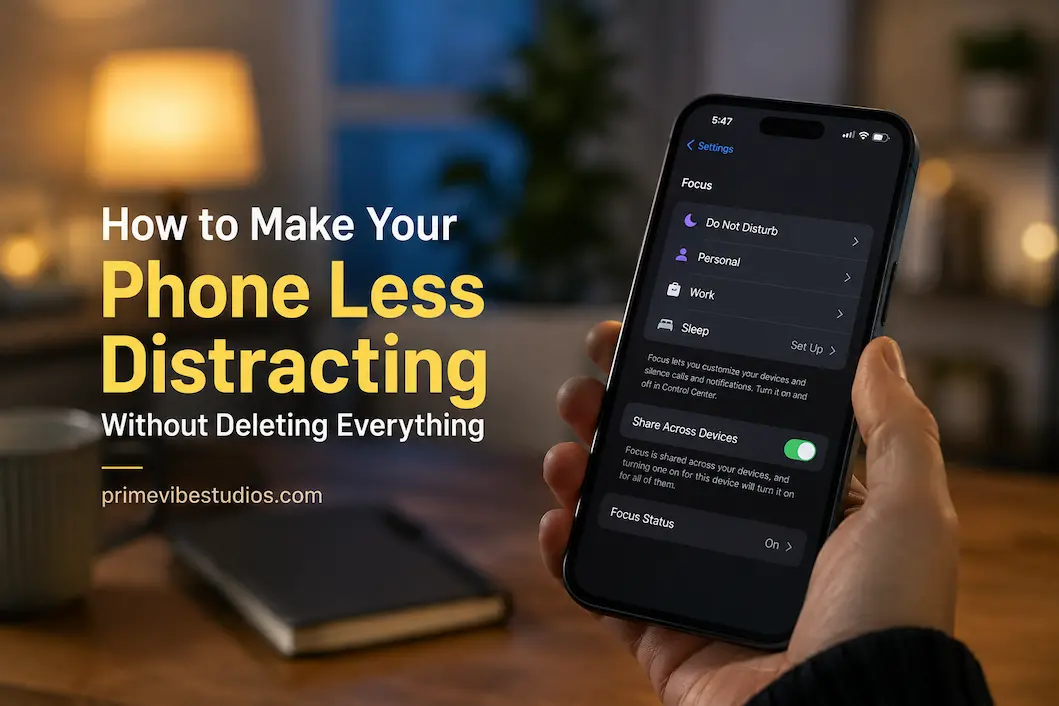
Most modern smartphones provide some form of focus, do-not-disturb, or notification management system. These features can be useful because they allow you to reduce interruptions during particular parts of the day without changing your entire phone setup. You might create one configuration for work, another for sleep, or simply use a basic focus mode whenever you need uninterrupted time.
A work-focused setup, for example, could allow calls from important contacts and calendar reminders while silencing entertainment and promotional applications. An evening setup could reduce work-related alerts while keeping messages from family members available. The exact configuration depends on your responsibilities, so there is no universal list of notifications that everyone should block.
Keep The System Simple
It is easy to overcomplicate digital boundaries by creating numerous modes with detailed rules for every possible situation. That can turn distraction management into another system you have to maintain. Start with the one situation where your phone causes the biggest problem and build from there.
If a simple focus mode during work solves most of the issue, there may be no reason to create six additional configurations. Technology should reduce the amount of mental effort required to manage your attention, not give you another complicated routine to monitor throughout the day.
Make Social Media Less Automatic
If social media is one of your biggest distractions, deleting it isn’t your only option. Start by removing its notifications and moving the applications away from the first home screen. This preserves access while eliminating some of the triggers that encourage you to return repeatedly.
You can also pay attention to why you open these applications. If you genuinely want to catch up with friends, read something specific, or publish content, that’s intentional use. If you open the app because you have thirty seconds to fill and then remain there for half an hour, you’re dealing with a different kind of behavior. Recognizing the difference can help you decide what changes are actually necessary.
Don’t Simply Replace One Distraction With Another
Reducing one application’s influence doesn’t automatically solve the larger problem. If you remove a social platform but immediately replace the time with short videos, news feeds, shopping sites, or games, the same checking habit may simply move somewhere else.
That doesn’t mean every entertainment activity is harmful The issue is whether you’re choosing it or falling into it automatically. If your phone becomes a place you visit whenever there is an empty moment, consider creating some alternatives that don’t involve another screen. A book, music, conversation, walk, hobby, or even a few quiet minutes can provide a different way to handle those gaps.
Give Yourself Something Else To Reach For
Making the phone less distracting is easier when you have other things available. If you put your phone away in the evening but have nothing else planned, the temptation to retrieve it can grow. This doesn’t mean you need a highly productive replacement schedule. The alternative can simply be something you enjoy that doesn’t require constant interaction with a screen.
Keep a book near your usual sitting area, prepare something for a hobby, keep a notebook available, cook without following your phone every few minutes, or spend time talking with someone without having the device between you. These activities don’t have to improve your career or productivity. Their value can simply come from giving your attention somewhere else to go.
Allow Some Empty Time
A smartphone makes it extremely easy to eliminate every moment of boredom. Waiting for an appointment, standing in a queue, sitting on public transport, or waiting for a webpage to load can all become opportunities to scroll. There’s nothing inherently wrong with entertainment during these moments, but constantly filling every pause can make being unoccupied feel unusual.
Try leaving a few short periods empty. Look around, think, observe what is happening, or simply let your attention wander. It may feel uncomfortable at first if you’re accustomed to reaching for your phone immediately. Over time, however, those small gaps can become normal again rather than automatically triggering a screen check.
Change The Way You Handle Messages
Messaging can be another source of constant interruption because every incoming message can feel like a request for immediate attention. Whether you need to respond quickly depends on your work, family responsibilities, and personal circumstances. Some people genuinely need rapid communication, while others have considerably more flexibility.
If immediate responses aren’t necessary, you can allow yourself to check messages at natural points during the day. This doesn’t mean ignoring people. It means separating communication from continuous availability. You can remain responsive while still having periods where your attention belongs to work, rest, conversations, or other activities.
New Doesn’t Always Mean Urgent
One of the most useful distinctions to make is between information that is new and information that is urgent. A message arriving now doesn’t automatically mean it needs to be handled now. The same applies to most emails, social interactions, recommendations, and other app updates.
Once you stop treating every new piece of information as an immediate task, your phone becomes much easier to live with. You can decide when something deserves your attention instead of allowing the arrival time of every message to determine what you do next.
Make The Display Less Tempting If Necessary
Visual design can influence how attractive your phone feels. Bright colors, animated elements, constantly changing wallpapers, and attention-grabbing widgets aren’t necessarily a problem, but some people find that reducing visual stimulation makes their device less tempting.
You could simplify the wallpaper, remove unnecessary widgets, or experiment with grayscale for several days. Grayscale won’t magically eliminate distraction, and there is no need to use it if you don’t notice a difference. It is simply another optional tool for reducing the visual appeal of applications that you tend to open automatically.
The important thing is to test changes rather than assuming every popular productivity trick will work for you. If a simpler display makes your phone feel calmer, keep it. If it doesn’t help, get rid of it and concentrate on the changes that really impact your behavior.
Don’t Try To Change Everything At Once
A common mistake is attempting to redesign your digital life completely in one afternoon. You disable every notification, delete applications, install blocking tools, create strict schedules, switch the display to grayscale, and decide that you’ll never use your phone after a certain hour. The approach can feel motivating initially, but it also creates a large collection of rules that may be difficult to maintain.
Instead, identify one or two changes that will address your biggest distraction. If notifications are constantly interrupting you, please start there. If you automatically open social media whenever you unlock the phone, change your home screen. When the phone is nearby and you cannot concentrate, create a physical-distance rule for focused activities.
Give those changes enough time to become normal before adding more. A simple system that you can maintain for months is far more useful than an aggressive setup that lasts four days.
Review Your Phone After A Week
After making a few changes, don’t judge them based on whether your phone use immediately dropped to a particular number. Instead, consider how the device feels during your normal day. Are you unlocking it less frequently without a reason? Are conversations less interrupted? Is it easier to finish a task without checking another application?
Also notice what didn’t work. Perhaps disabling social notifications made a major difference, while changing your wallpaper did absolutely nothing. Maybe keeping the phone in another room during work helped, but trying to follow a strict evening schedule became frustrating. Those observations are useful because they allow you to build a system around your actual behavior.
The goal isn’t to create a perfect smartphone configuration. It is to create an environment where your phone supports the way you want to spend your time instead of repeatedly pulling you away from it.
A Practical Less-Distracting Phone Setup
A useful setup doesn’t have to be complicated. Your first home screen can contain essential tools, while entertainment and highly engaging applications can sit farther away. Notifications can be limited to important communication, security, reminders, and other alerts that genuinely deserve immediate attention.
During focused activities, you can use a simple focus mode and keep your phone out of reach. During meals or conversations, you can establish a phone-free boundary. At night, you can reduce lock-screen notifications and keep the device away from the bed to make it easier to avoid unnecessary checking.
These changes work together because they address different parts of the same habit. Notifications reduce external triggers, the home screen reduces visual prompts, physical distance adds friction, and boundaries establish predictable situations where the phone doesn’t automatically receive your attention.
Frequently Asked Questions
Do I Have To Delete Social Media To Make My Phone Less Distracting?
No. Deleting social media can be useful if an application is seriously interfering with your daily life, but it isn’t the only solution. You can disable its notifications, remove its icon from the home screen, limit when you use it, and make access slightly less convenient. These changes allow you to keep the application for intentional use without allowing it to constantly invite you back.
Why do I keep checking my phone even when there are no notifications?
Phone checking can become an independent habit after you’ve repeated it often enough. Boredom, waiting, stress, curiosity, and simple muscle memory can all trigger the behavior even when the phone is completely silent. Paying attention to what happens immediately before you check can help you identify the trigger and replace automatic checking with a more deliberate decision.
Should I Use Grayscale To Make My Phone Less Distracting?
Grayscale is optional rather than necessary. Some people find that removing much of the color makes social feeds, games, and other visually engaging applications less appealing, while others notice little difference. Try it for several days if you’re curious, but don’t feel that you need to use it if the change doesn’t improve your behavior.
How Many Notifications Should I Keep Enabled?
There isn’t a universal number that works for everyone. Keep notifications that provide information you genuinely need promptly, such as important calls, security alerts, appointments, or time-sensitive communication. Notifications that mainly exist to promote engagement, advertise content, or encourage you to return to an application are generally easier candidates for disabling.
Is Keeping My Phone In Another Room Really Helpful?
Physical distance can help because it adds a small amount of effort between the urge to check and actually checking. A phone sitting beside you is immediately available, while a phone in another room requires you to stand up and retrieve it. You don’t need to keep it away all day; using this approach during focused work, meals, reading, or other important activities can be enough.