
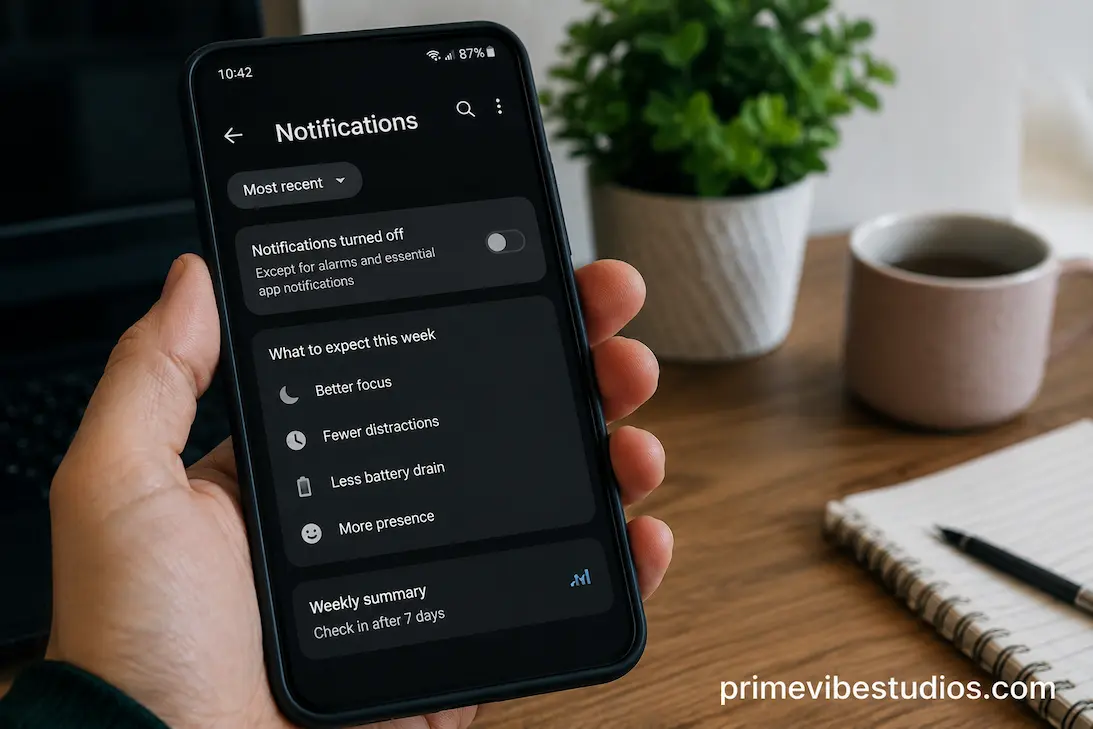
Notifications are designed to bring your attention back to your phone. A message arrives, an app wants you to see something, a shopping service announces a promotion, or a social platform reminds you that something is happening. Individually, these interruptions can seem harmless. The problem is that they rarely arrive one at a time. Over the course of a normal day, dozens of small alerts can repeatedly pull your attention away from whatever you were doing.
Turning off most phone notifications for a week is a simple experiment because it doesn’t require giving up the phone itself. You can still open your messages, check email, use maps, browse the web, or access apps when you intentionally choose to do so. The major difference is that those apps stop deciding when they deserve your attention. Instead of reacting to alerts throughout the day, you become responsible for deciding when to check.
The result isn’t necessarily that you’ll suddenly become extremely productive or completely stop using your phone. The more interesting changes tend to be subtle. You may reach for the phone less often, find it easier to concentrate, feel less interrupted, or discover that many notifications weren’t important in the first place. A week is long enough to notice these patterns without requiring a permanent change.
The First Difference You May Notice Is The Silence
The first day can feel surprisingly strange.
If you’re accustomed to seeing your screen light up throughout the day, the absence of notifications can make your phone feel unusually quiet. You may even pick it up more often at first because you’re expecting something to happen. The habit of checking doesn’t disappear immediately simply because the alerts have stopped.
This is an important distinction. Notifications are only one part of phone behavior. Your brain can learn to check a device automatically even when there is no external signal telling you to do it. In the first few days, you may find yourself checking your phone out of boredom, while waiting, or simply out of habit.
That initial discomfort doesn’t necessarily mean the experiment isn’t working. It can actually reveal how much of your normal phone use was triggered by habit rather than genuine need.
Your Phone May Start Feeling Less Urgent
When notifications are constantly appearing, every alert can create a small sense of urgency. Even when the message isn’t important, the interruption suggests that something has happened and that you should probably look.
With most notifications disabled, that urgency begins to fade.
Messages don’t disappear simply because you aren’t alerted immediately. Emails remain available. Social media posts continue to exist. Apps can still be opened whenever you deliberately choose to use them.
The difference is that the phone stops presenting every new piece of information as something that requires an immediate response. That change can make the device feel more like a tool and less like a source of continuous demands.
You May Check Your Phone Less Often
One of the most noticeable changes during the week may be a reduction in automatic checking.
Without a notification to investigate, there is less reason to unlock the screen repeatedly. You might still check your phone during natural breaks, but those checks can become more deliberate.
For example, instead of unlocking your phone every time it vibrates, you may decide to check messages after finishing a task. Instead of opening a social media application because a notification appeared, you might realize that you don’t actually have a reason to open it.
This doesn’t mean your total screen time will automatically fall dramatically. You can still spend an hour scrolling if you intentionally open an app. What changes first is often the number of interruptions and impulsive checks, rather than the total amount of time spent on the device.
You’ll Probably Still Use Your Phone
It is important not to expect a notification-free week to turn you into someone who barely uses technology.
Your phone remains useful.
You may need it for calls, navigation, authentication codes, work communication, banking, appointments, photography, music, or other everyday tasks. Turning off notifications doesn’t remove these functions.
That’s actually what makes the experiment useful. You aren’t testing what happens when you completely remove your smartphone from your life. You’re testing what happens when you stop allowing applications to decide when you should look at it.
The distinction can help you develop a more realistic relationship with your device. The goal isn’t necessarily less technology. It is more intentional technology use.
Concentration May Become Easier
Frequent notifications can interfere with concentration even when you don’t respond to them immediately.
A notification appearing on your screen can make you wonder who contacted you, what happened, or whether you need to respond. That thought can remain in the background while you’re trying to work, read, study, or complete another task.
When those interruptions disappear, your attention has fewer external triggers competing for it.
You may notice that it becomes easier to stay with a task for longer periods. You might finish a paragraph before checking your phone, complete a work assignment without opening another application, or watch a film without repeatedly looking down at the screen.
The change can be particularly noticeable when you combine notification reduction with another simple habit, such as keeping the phone out of immediate reach during focused work.
Some Tasks May Feel Less Fragmented
Concentration isn’t only about how long you can work. It is also about how often your attention gets broken into smaller pieces.
Imagine reading for twenty minutes while receiving several notifications. Even if you only spend a few seconds looking at each alert, your attention has been repeatedly redirected. You then have to return to the original activity.
Removing those interruptions creates longer stretches of uninterrupted attention.
You may not notice the difference immediately. After several days, however, activities that previously felt difficult to sustain can begin to feel less fragmented. Reading, writing, cooking, studying, or having a conversation can become easier when your phone isn’t repeatedly demanding attention in the background.
Social Media Can Feel Different
Social media notifications are often designed to encourage re-engagement.
Someone liked a post, commented on something, followed an account, mentioned you, or interacted with content you previously viewed. Each alert creates another reason to return to the application.
Turning off those notifications doesn’t prevent you from using social media. It simply removes many of the prompts that bring you back.
After several days, you may discover that you don’t miss certain updates nearly as much as you expected. Some notifications that previously seemed important may turn out to have been completely optional.
You may also find that when you open a social platform, you do so because you chose to, not because the platform interrupted what you were doing.
The Habit Can Become More Obvious
A week without most notifications can reveal which apps have become habitual.
If you find yourself repeatedly opening an app even though there is no notification waiting, you aren’t opening it just because of alerts. There may be boredom, curiosity, routine, or another trigger involved.
That’s useful information.
You can then decide whether you actually want that behavior. Maybe you enjoy checking the app occasionally and have no problem with it. Or perhaps you realize that you were opening it dozens of times a day without any particular purpose.
The experiment allows you to distinguish notification-driven behavior from self-directed behavior.
Work And Personal Time Can Feel More Separate
Notifications can blur the boundary between work and personal time.
An email arriving in the evening can make you think about work when you were trying to relax. A workplace messaging application can create the feeling that you should remain available even after your working hours have ended.
Turning off non-essential work notifications outside working hours can create a clearer boundary.
You can still check work messages when you intentionally decide to do so, but you aren’t necessarily exposed to every new message as soon as it arrives.
This can be particularly useful for people who work remotely or use the same phone for both personal and professional communication. Without some form of separation, the phone can effectively turn every part of the day into potential work time.
Not Every Message Needs An Immediate Response
A notification can create the impression that something is time-sensitive simply because it arrived now.
In reality, many messages can wait.
During your week-long experiment, notice how many alerts actually required immediate action. You may discover that most could have waited an hour, several hours, or even until the next morning.
This doesn’t mean you should ignore genuinely important communication. Calls from specific contacts, emergency alerts, calendar reminders, or other essential notifications can remain enabled.
The useful goal is to separate time-sensitive information from information that merely happens to be new.
You May Feel Less Mentally Crowded
Notifications affect you even when you don’t respond to them.
Even seeing a collection of unread alerts can create a sense that unfinished tasks are waiting for you. Multiple badges, message counts, email alerts, and reminders can make the phone feel like a list of things that need attention.
Reducing those signals can make the device feel calmer.
You may notice that when you pick up your phone, you’re more likely to use it for a specific purpose instead of first processing a long list of alerts. That can reduce the feeling that you’re constantly catching up with your device.
The difference is subtle but meaningful. A phone can be useful without constantly presenting itself as something that needs your attention.
Your Sleep Routine May Become Easier To Protect
Evening notifications can encourage phone use at exactly the time when many people are trying to wind down.
A message arrives. You check it. That leads to another application. Then you notice another alert. Before you know it, you’re spending additional time looking at the screen.
Turning off most notifications removes many of those evening triggers.
You can still use your phone if you choose, but fewer interruptions encourage you to return to it. For some people, this approach makes it easier to put the device away at a consistent time.
If you’re specifically trying to improve your evening routine, notification controls can therefore complement a broader phone-free period rather than requiring you to stop using your phone completely.
Keep Important Alerts Available
Turning off notifications doesn’t mean every alert should disappear.
Some notifications are genuinely useful. Calls from family members, security alerts, appointment reminders, two-factor authentication messages, delivery updates, or emergency warnings may be worth keeping.
The goal is to reduce low-value interruptions, not remove information that you genuinely need.
Most modern smartphones allow you to customize which applications and contacts can interrupt you. Take advantage of those controls rather than treating notification management as an all-or-nothing decision.
You Might Become More Comfortable With Delayed Information
Modern apps often create the expectation that information should reach you immediately.
You see something, respond to it, and move on to the next thing. Notifications reinforce that cycle.
A week of reduced notifications can teach you that many things don’t actually need to arrive in real time.
You can check email at a chosen time. You can open a messaging application when you’re available. You can look at social media when you have intentionally decided to use it.
This creates a healthier distinction between availability and accessibility. Information can remain accessible without demanding your immediate attention.
That is one of the most useful lessons you can take from the experiment.
What If You Start Checking Manually More Often?
There is one possible surprise: turning off notifications doesn’t automatically eliminate checking.
Some people respond to the absence of alerts by manually opening their apps more frequently. Instead of waiting for a message notification, they repeatedly check the messaging application to see whether something has arrived.
If that happens, don’t consider the experiment a failure.
It simply shows that notifications aren’t the only driver of your behavior.
Try adding a checking schedule. For example, you might decide to check personal messages at several natural points during the day rather than continuously. The exact schedule isn’t important. What matters is replacing automatic checking with an intentional decision.
Over time, you may find that you no longer feel the need to check as often.
A Simple Seven-Day Experiment
If you want to test the idea yourself, avoid changing everything at once.
On the first day, identify the applications that interrupt you most frequently. Please take note of which notifications you find useful. Then disable non-essential alerts while keeping important calls and security-related information available.
During the next few days, pay attention to your behavior rather than trying to force a particular result. Notice when you reach for your phone, what triggered the action, and whether you actually needed to check anything.
By the middle of the week, you may begin noticing which applications you open automatically. This is a useful opportunity to remove additional low-value notifications or adjust your checking habits.
Toward the end of the week, compare how your phone feels. You don’t need complicated statistics. Consider whether you felt less interrupted, whether certain tasks became easier, and whether you actually missed any of the notifications you disabled.
What To Track During The Week
You can keep the experiment simple by observing a few things:
- How often you check your phone without a specific reason
- Which notifications you actually miss
- Whether focused tasks feel easier
- Whether evenings feel less interrupted
- Whether you manually check apps more often
- Which notifications you decide to restore
- Which notifications you realize you never needed
The point isn’t to produce a perfect measurement. You’re learning how your phone habits respond when external interruptions are reduced.
What You Should Turn Back On
After a week, don’t feel obligated to keep everything disabled.
Some notifications may have proven genuinely useful. Calendar reminders, important messages, calls, authentication alerts, travel information, or other time-sensitive updates can earn their place back.
The experiment works best when you use the results to create a personalized notification system.
For example, you might allow direct messages from close family members but disable social media activity alerts. You might keep calendar notifications while removing promotional messages. You might allow work notifications during working hours but silence them afterward.
This creates a phone that is responsive to important information without treating every application event as equally urgent.
Use The Week To Build A Permanent System
The long-term benefit isn’t necessarily keeping every notification turned off forever.
Instead, use what you learned to create a better default.
Ask yourself which alerts genuinely improved your day. Which ones helped you avoid forgetting something important? Which ones simply encouraged you to open an application? Which ones could have waited until you intentionally checked the app?
Those answers can form the basis of a much more deliberate notification setup.
The ideal notification system is different for everyone. Someone who needs to respond quickly to work messages will have different requirements from someone who mainly uses their phone for personal communication and entertainment.
Frequently Asked Questions
Will Turning Off Notifications Reduce Phone Use?
It can reduce automatic checking and interruptions, but it doesn’t guarantee lower overall screen time. You can still intentionally open applications and spend the same amount of time using them. The biggest initial change is often that the phone stops prompting you as frequently.
Should I Turn Off All Phone Notifications?
Not necessarily. Keep alerts that provide genuine value or involve time-sensitive information, such as important calls, security notifications, calendar reminders, or emergency alerts. The goal is to remove unnecessary interruptions rather than blindly disable everything.
What Happens If I Keep Checking My Phone Anyway?
That suggests your phone habit isn’t entirely notification-driven. Try identifying what triggers the checking behavior, such as boredom or waiting, and create specific times for checking messages and other applications. The absence of notifications can still help by removing one major source of interruption.
Can Fewer Notifications Help With Focus?
Reducing notifications can make focused work easier because there are fewer external interruptions competing for attention. However, your environment, habits, workload, and the applications you use also affect concentration. Notification reduction is one practical part of a broader focus strategy.
Should I Keep Notifications Off After The Week?
You don’t have to follow a permanent rule. Review which notifications you actually missed and restore only those that provide meaningful value. Many people find that a customized notification system works better than either keeping everything enabled or turning everything off.