
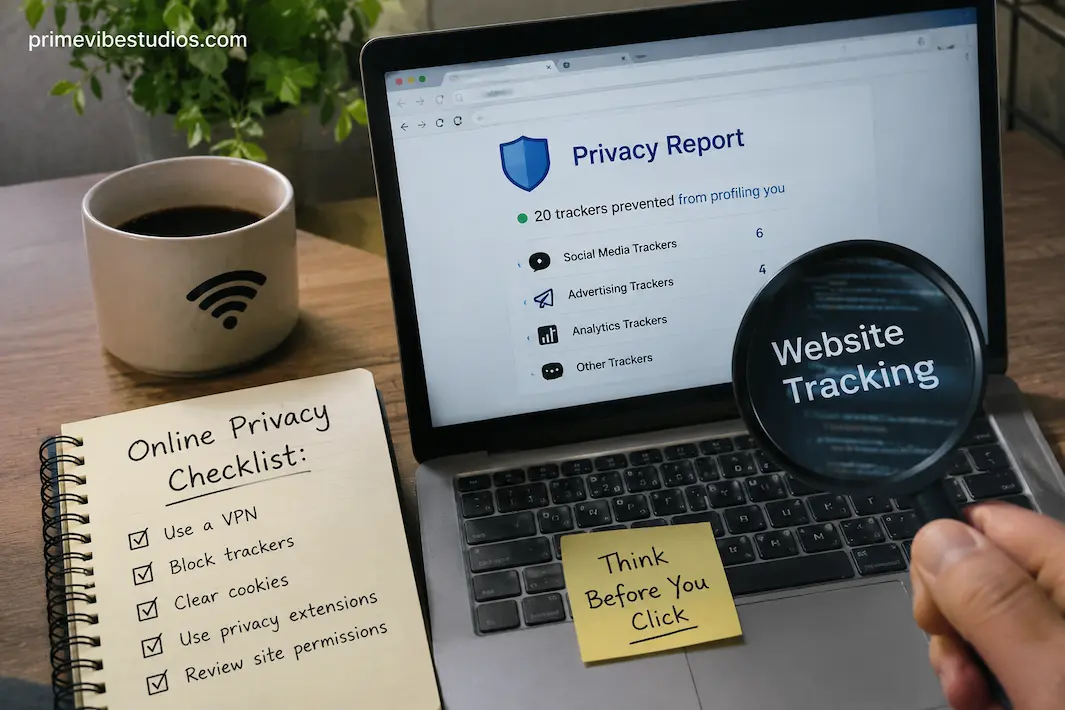
You can visit a website, read an article, close the tab, and never realize that several pieces of information about that visit may have been recorded along the way. This doesn’t necessarily mean someone is watching everything you do online. Most website tracking is automated and is used for ordinary purposes such as remembering preferences, measuring traffic, improving a service, preventing fraud, or showing more relevant advertising. The important point is that different tracking methods can collect different kinds of information, often without requiring you to consciously provide it.
The challenge is that online tracking isn’t limited to cookies anymore. Websites and third-party services can use cookies, pixels, browser characteristics, login information, URLs, device signals, and other techniques to understand how visitors interact with pages. Some methods are relatively easy to control, while others are built into the way websites and browsers communicate. You therefore don’t need to aim for perfect anonymity to improve your privacy. A more realistic goal is to understand what data is collected, reduce unnecessary tracking, and make informed choices about the websites and services you use.
What Website Tracking Actually Means
Website tracking is the collection and analysis of information about your activity when you interact with a website or an online service. Depending on the technology involved, that information can include pages visited, approximate location, device type, browser information, referral sources, interactions with a page, and identifiers that help recognize a returning browser.
Some tracking is first-party, meaning the website you are visiting collects information about your interaction with its own service. Other tracking can involve third parties, such as analytics providers, advertising networks, embedded content providers, or social-media services that have code running on the page.
That distinction matters because the website you intentionally visited may not be the only organization receiving information about your visit. A page can contain resources from other companies, and those resources can sometimes collect information about how the page is loaded or used.
Tracking also isn’t automatically harmful. A website needs some information to perform basic functions, and analytics can help publishers understand which pages are useful. The privacy question is more about what is collected, who receives it, why it is collected, and how long it is retained.
Your IP Address Is One Piece Of The Picture
When your device connects to a website, it generally needs your IP address to send information back to you. As a result, an IP address can be recorded in server logs or other systems.
An IP address can provide information about the network connection and may sometimes be used to estimate a general geographic area. It doesn’t automatically reveal your exact street address to every website, and the information available from an IP address varies depending on the network, internet provider, and other circumstances.
Websites may use IP addresses for legitimate technical and security purposes, including detecting suspicious traffic, managing connections, preventing abuse, and troubleshooting problems.
If you’re trying to reduce unnecessary exposure, the practical lesson isn’t that you must hide your IP address from every website. Instead, understand that visiting a website inherently involves exchanging some network information. Privacy tools such as VPNs can change what IP address a website sees, but they also shift trust toward the VPN provider and don’t prevent every other form of tracking.
Cookies Can Remember More Than You Expect
Cookies are small pieces of information that websites can store in your browser. They are often used for legitimate purposes such as keeping you signed in, remembering preferences, maintaining shopping carts, or supporting other website functions.
Privacy concerns usually arise from how cookies recognize users and support advertising.
A first-party cookie may allow a website to recognize your browser when you return. Third-party cookies historically enabled certain advertising and other services to recognize activity across different websites, although modern browsers have increasingly restricted this form of tracking.
Not all cookies are equivalent. Deleting every cookie can also make websites less convenient because it may sign you out, remove preferences, or reset other settings.
A better approach is to understand which cookies are necessary and which are used for optional purposes, then use the privacy controls available in your browser and the websites you trust.
Tracking Pixels Can Be Nearly Invisible
A tracking pixel, sometimes called a web beacon, is a small resource that can be loaded when a page or message is opened. The resource itself may be invisible to the user, but its request can provide information to the service that hosts it.
For example, a page may load an image or other resource from a third-party server. That request can communicate technical information about the connection and help the service determine that a particular resource was accessed.
Pixels are used for legitimate analytics and measurement, but they can also contribute to advertising and behavioral tracking systems.
The important point is that tracking doesn’t always look like a visible cookie notification or an obvious form asking for your information. Some tracking happens through ordinary web resources that load in the background.
Browser Fingerprinting Is Different From Traditional Cookies
Browser fingerprinting takes a different approach. Instead of relying primarily on a stored identifier, a website can examine characteristics of your browser and device configuration.
Depending on the techniques used, those characteristics can include browser information, operating-system details, screen properties, language settings, time-zone information, graphics capabilities, and other signals.
Individually, many of these characteristics aren’t particularly revealing. The privacy concern comes from combining multiple signals to create a profile that may help distinguish one browser configuration from another.
This is one reason privacy isn’t as simple as deleting cookies.
Modern browsers and privacy features can reduce some fingerprinting techniques, but attempting to make your browser completely unique can sometimes have the opposite effect. A very unusual configuration may actually make you easier to distinguish from other users.
For most people, using a mainstream browser with sensible privacy protections is more practical than constantly changing settings in an attempt to create a perfectly anonymous fingerprint.
Your Searches And Clicks Can Reveal Patterns
Tracking isn’t always about identifying you directly. Websites can learn a great deal by observing what visitors do.
Which pages do people visit? How long do they remain on a page? Which links do they click? What products do they view? Where do visitors leave? Which pages do they return to?
When this information is aggregated, it can help website owners understand how their audiences behave.
The situation becomes more personal when an account connects to the activity. If you are signed in, the service may be able to associate activity with your account rather than treating it as an anonymous browser session.
This is one reason account privacy settings deserve attention. The more information a service has about you and the more activity you conduct while signed in, the more easily different interactions can potentially be connected within that service.
Referral Information Can Tell A Website Where You Came From
When you follow a link from one website to another, the destination may receive referral information indicating the previous page or source, depending on browser behavior and the site’s configuration.
This can be useful for publishers because it helps them understand where visitors come from. It can also help websites measure campaigns and identify which links generate traffic.
Modern browser privacy protections and referrer policies can limit the amount of information shared, and the exact behavior depends on the website and browser.
Still, it’s another example of how simply moving around the web can generate information without you manually submitting anything.
Location Tracking Doesn’t Always Mean GPS
People sometimes hear “location tracking” and immediately think of GPS. Websites don’t necessarily need access to precise device location to make geographic assumptions.
Your IP address can provide a rough location estimate. A website can also learn information from an account profile, shipping address, selected region, language, time zone, or information you voluntarily provide.
Precise location access is a separate permission in many browsers and devices. Websites that request it generally need you to grant permission before receiving the browser’s available location data.
This is why location permissions should be treated like other sensitive permissions. If a website doesn’t need your precise location for the feature you’re using, there may be little reason to grant access.
Third-Party Services Make Tracking More Complicated
A modern webpage can depend on many external services. Analytics, advertising, video players, fonts, maps, comment systems, social-media embeds, payment services, and other components can be supplied by different companies.
Each external service can introduce another relationship between your browser and a server outside the website you’re intentionally visiting.
This doesn’t mean every third-party service is tracking you for advertising. Many provide essential technical functions or privacy-conscious services. The point is simply that a webpage can be more complicated than its visible design suggests.
Privacy-focused browser features and content-blocking tools can reduce some third-party requests, but aggressive blocking can also break websites. A balanced approach is usually more practical than trying to block everything.
How To Reduce Unnecessary Website Tracking
You don’t need to stop using the internet to improve your privacy. A few practical changes can significantly reduce unnecessary exposure.
Review Browser Privacy Settings
Modern browsers offer controls for cookies, site permissions, tracking protection, pop-ups, location access, and other privacy-related features. Please review the settings instead of leaving everything at its default simply because you haven’t changed it before.
Look particularly at permissions for location, camera, microphone, notifications, and other capabilities. A website shouldn’t automatically receive access to these features merely because you visited it.
Block Or Limit Third-Party Tracking
Browser tracking protection and reputable content-blocking tools can reduce certain third-party scripts and trackers.
However, blocking more isn’t always better. Some websites depend on scripts or external resources to function correctly. If a site breaks, you may need to adjust the protection for that specific site rather than disabling privacy features everywhere.
Use Separate Browser Profiles
Separate browser profiles can be useful when you want to keep different activities apart.
For example, you might use one profile for work and another for personal browsing. This doesn’t make you anonymous, but it can reduce the amount of information and account activity mixed within a single browser environment.
Separate profiles can also make it easier to maintain different cookie and login states.
Be Selective About What You Share
One of the simplest privacy improvements doesn’t require any special software.
If a website doesn’t need your full name, exact location, phone number, or other personal information to provide its service, consider whether you need to provide it.
Avoid creating accounts unnecessarily, and don’t automatically complete optional profile fields. If you never provide information, a breach of that service can’t later expose it.
Review Account Privacy Controls
If you use major online services, take some time to review their privacy and activity settings.
Look for options related to personalized advertising, activity history, connected applications, location history, data retention, and account personalization.
The exact controls vary by service, so don’t assume that changing one browser setting controls what a company already knows about activity associated with your account.
What A VPN Can And Cannot Do
A VPN can route your internet traffic through the VPN provider’s servers, which can make websites see the VPN server’s IP address instead of your normal public IP address.
That can be useful for certain privacy and network-security situations, but a VPN isn’t an invisibility cloak.
Websites can still use cookies, account information, browser characteristics, and other techniques. If you sign into a service, the service still knows which account you’re using.
A VPN also creates a new trust relationship. Your traffic goes through the VPN provider, so it’s important to choose a reputable service and understand its privacy practices.
Use a VPN for the problems it actually solves rather than assuming that it prevents all online tracking.
Private Browsing Isn’t Complete Anonymity
Private or incognito browsing is useful, but its purpose is often misunderstood.
A private browsing window can prevent certain local information, such as browsing history and cookies from that session, from being retained in the same way as a normal browsing session after it is closed. It does not make you invisible to websites, your network provider, or every other service involved in your connection.
It also doesn’t automatically block all tracking technologies.
Private browsing is therefore best understood as a tool for limiting local browser history and session persistence, not as a guarantee of online anonymity.
You Don’t Need To Eliminate Every Tracker
Trying to remove every form of tracking can make ordinary web use unnecessarily difficult.
Some data collection is required for websites to function. Security systems need to detect suspicious behavior. Shopping sites need to remember items in carts. Account systems need to recognize authenticated sessions. Website owners may need basic analytics to understand whether their pages are working.
The more useful goal is to distinguish necessary functionality from unnecessary data collection.
If a website asks for a permission that isn’t relevant to what you’re doing, don’t grant it automatically. If a browser setting can reduce third-party tracking without breaking the websites you use, enable it. If a service provides privacy controls, take advantage of them.
Privacy works better as a series of sensible decisions than as an all-or-nothing project.
A More Practical Approach To Online Privacy
You don’t need to understand every tracking technology used on the internet to make better privacy decisions. Start with the basics: keep your browser updated, enable its available tracking protections, review site permissions, limit unnecessary account information, and be selective about which services you trust.
Then look at the tools you actually use. If you rely heavily on online accounts, review their privacy settings. If advertising trackers are a concern, you might want to look into reputable content-blocking or privacy tools. If you’re concerned about network privacy, understand what a VPN changes and what it doesn’t.
Most importantly, don’t let the complexity of online tracking convince you that privacy is impossible. You may not control every piece of information generated when you browse the web, but you can control many choices that determine how much information you provide and which services receive it.
The goal isn’t to disappear from the internet. It’s to make your digital footprint smaller, more intentional, and easier to understand.
Frequently Asked Questions
Can A Website Track Me Without Cookies?
Yes. Cookies are only one tracking method. Websites can also receive network information, use pixels and scripts, analyze browser characteristics, observe interactions, and associate activity with accounts when you are signed in. Modern browsers provide protections against some tracking techniques, but no single setting prevents every possible form of data collection.
Does Deleting Cookies Stop Websites From Tracking Me?
Deleting cookies can remove certain stored identifiers, but it doesn’t stop all tracking. Websites can still receive information such as your IP address and may use other technologies or account-based information to understand activity. Cookie controls are useful, but they should be considered one part of a broader privacy strategy.
Can Websites See My Exact Location?
Not simply because you visit them. A website can often estimate a general location from network information such as an IP address, while precise location access generally requires permission through the browser or device. You should review location requests carefully and only grant precise location access when the feature genuinely requires it.
Does Incognito Mode Stop Website Tracking?
No. Private browsing mainly limits what is stored locally in your browser during the session. Websites can still receive network information and may use cookies, scripts, account information, and other tracking methods. It is useful for certain privacy situations but shouldn’t be confused with anonymity.
Does A VPN Stop Websites From Tracking Me?
No. A VPN can hide your normal public IP address from websites by routing traffic through the VPN provider, but it doesn’t prevent tracking based on cookies, accounts, browser characteristics, or other methods. A VPN should therefore be viewed as one privacy tool rather than a complete solution.