
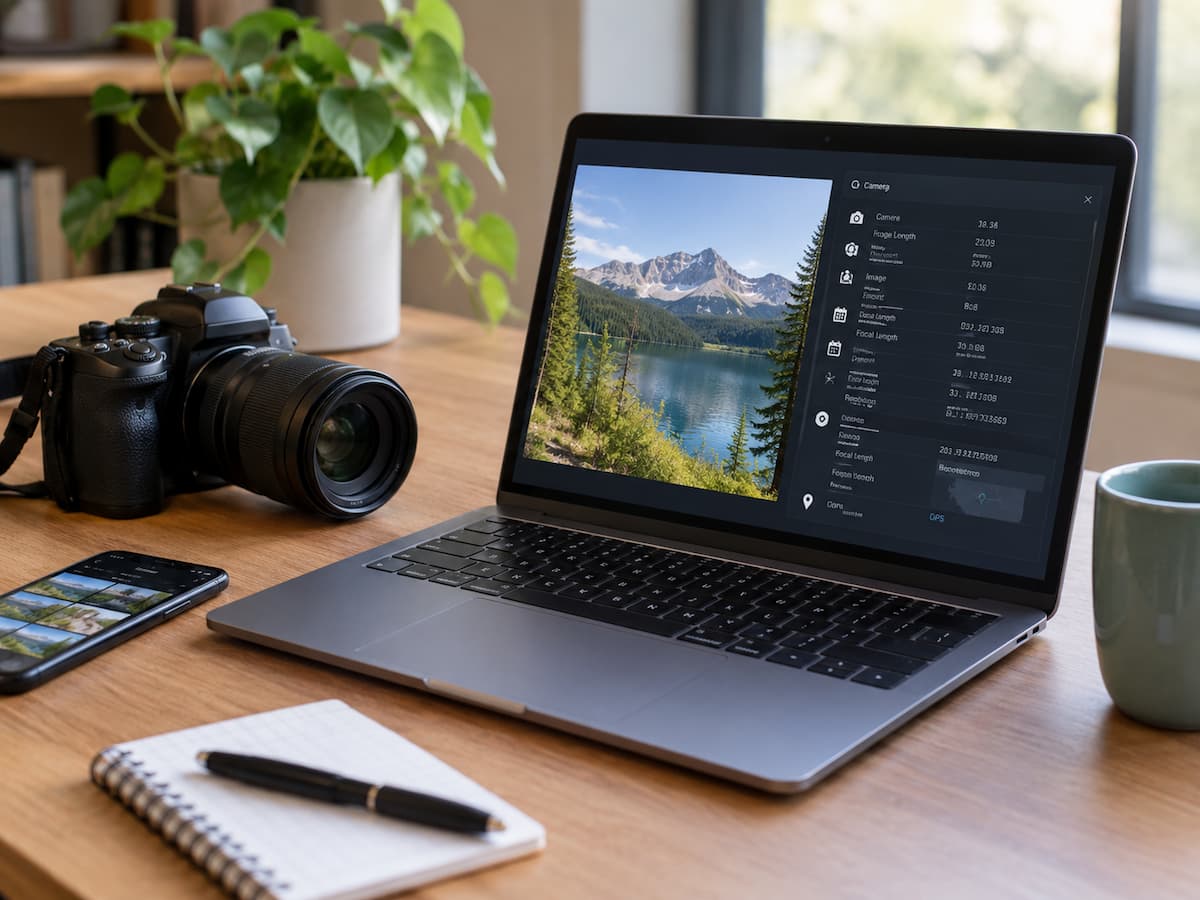
A photo can contain more information than what appears on the screen. The picture itself may show a family meal, a street, a document, or a holiday destination, but the file can also carry small pieces of information called metadata. Metadata is information stored alongside a digital file. Depending on how a photo was captured and processed, it can describe when the image was created, what device was used, how the camera was configured, and sometimes where the photo was taken. Some files may also contain information added later by editing software or other applications. This does not mean every photo exposes all of these details. Metadata varies by camera, phone, operating system, editing application, and the way a file is shared. Some services remove certain metadata during upload, while other methods of sharing may preserve much of it.
Understanding what can travel with a photo helps you make better decisions before sending an image to another person, posting it publicly, or uploading it to a website.
What Photo Metadata Actually Is
Metadata is best understood as information about a file, rather than as the main content of that file. For a photograph, the image pixels are the visible part. Metadata sits alongside those pixels and can describe how, when, or occasionally where the image was created. One of the most common forms is EXIF, which stands for Exchangeable Image File Format. Digital cameras and smartphones widely use EXIF data to store technical information about photographs.
Depending on the device and settings, EXIF data can include details such as:
- The date and time the photo was captured
- Camera or smartphone model
- Lens information
- Exposure settings
- Focal length
- Flash information
- Image orientation
- Software used to process the image
- GPS coordinates, when location recording is enabled
Not every image contains all of these fields. A screenshot, edited image, exported photograph, or image downloaded from a website may have very different metadata from the original camera file. That distinction matters because people sometimes assume that a photo either contains metadata or does not. In reality, metadata is a collection of fields, and individual fields can be present, removed, changed, or rewritten.
Location Data Can Be More Sensitive Than Camera Details
Among the different types of photo metadata, location information deserves particular attention. A smartphone with location tagging enabled may store GPS coordinates in the image’s metadata. These coordinates can potentially identify the place where the photograph was taken with considerable precision. Imagine taking a picture inside your home and sending the original file to someone. The visible image might not reveal your address. However, if the file still contains GPS coordinates, someone examining its metadata may be able to determine where the photo was captured.
The same issue can arise with photographs taken at:
- A private residence
- A workplace
- A school or college
- A hotel
- A regularly visited location
- A private event
- A relative’s home
Location data is not automatically dangerous, and many sharing platforms process images before other people receive them. The important point is that you should not assume the visible image tells the whole story. If a photograph does not need to carry its exact capture location, turning off location tagging for future photos or removing location metadata before sharing can reduce unnecessary exposure.
A Photo Can Reveal When It Was Taken
Metadata can also contain date and time information. A capture timestamp may seem harmless, but it can provide context that is not obvious from the photograph itself. For example, a picture taken inside a home could reveal that the photographer was there at a particular time. A series of photographs can potentially show a pattern of activity. The information becomes more meaningful when combined with other details.
Suppose someone posts several photographs from different places. The individual files might contain capture dates and times. When those details are combined with visible landmarks, captions, or public posts, they can provide a clearer picture of when certain events occurred. This does not mean metadata automatically reveals someone’s daily routine. It simply means that seemingly minor file information can become more informative when combined with other information. For ordinary sharing, the practical lesson is straightforward: if the exact creation time is irrelevant to the recipient, there may be little reason to preserve it unnecessarily.
Your Device Can Also Be Part of the File
Some photographs contain information about the device used to capture them. A metadata viewer may identify a camera or smartphone model, along with technical settings used when the photograph was taken. Depending on the file, other camera-related information may also be present. This information is usually less sensitive than precise location data, but it can still provide useful clues about the origin of a file. For example, a photograph might indicate that it was captured with a particular phone model. An original camera file may also contain details about exposure, lens settings, or focal length. These details can be useful for legitimate reasons. Photographers use metadata to organize their work, understand camera settings, and manage large collections of images. The privacy issue is not that camera information exists. The issue is whether you need to share that information with the person or service receiving the file.
Editing Software Can Leave Its Own Information
Metadata does not necessarily come only from the camera. When you edit, export, resize, or process a photograph, software may add or modify metadata. Depending on the application and export settings, a file can contain information about the software that processed it. This can make two versions of what appears to be the same photograph different from each other.
For instance, an original camera image may contain extensive capture information. An edited and exported copy might preserve some of those fields, remove others, or add software-related information. This is one reason there is no universal rule such as “all edited photos are safe” or “all original photos contain everything.” File handling matters. If privacy is important, check the metadata of the actual copy you intend to share rather than assuming that an earlier version had the same information.
The Original File and a Screenshot Are Not the Same Thing
A useful distinction is the difference between sharing an original image file and sharing a screenshot. A screenshot is a newly created image. It does not simply act as a transparent copy of the original file. Because it is generated from what is displayed on the screen, its metadata can differ substantially from the original photograph. For example, a screenshot of a photograph may preserve what the viewer can see while leaving behind much of the original camera file’s EXIF information.
However, a screenshot is not a universal privacy solution. It may still contain information about when the screenshot was created, and the visible image itself can reveal plenty of information. A screenshot of a map, private conversation, document, or account page can expose sensitive details even without the original photo’s metadata. It is therefore better to think of a screenshot as a different file with different metadata, rather than as a guaranteed privacy method.
How Metadata Gets Changed When You Share a Photo
What happens to metadata after you press “send” depends heavily on the service and method you use. Some websites and messaging platforms process uploaded images. They may resize the image, convert it to another format, or remove some metadata before storing or displaying it. Other methods may preserve more of the original file.
There can also be differences between:
- Uploading a photo to a social platform
- Sending an image through a messaging service
- Attaching the original file to an email
- Sharing the file through cloud storage
- Transferring the file directly between devices
- Uploading a photograph to a website
- Sending a compressed or exported copy
Because these systems change over time, it is risky to assume that one platform always strips every piece of metadata. The safest approach is to treat an original photo as potentially containing metadata unless you have checked the file or know that the sharing process removes the information you care about.
How to Check What a Photo Contains
You do not need advanced technical skills to investigate photo metadata. On many computers, opening a file’s properties or information panel can reveal some basic details. Depending on the operating system and file format, you may see the image dimensions, creation information, camera details, or other technical fields. Dedicated metadata viewers can provide a more detailed picture.
The important part is to inspect the actual copy you plan to share. Checking an original file and then sending an edited or exported version does not guarantee that both files contain the same metadata. If location privacy is your main concern, look specifically for fields related to GPS, latitude, longitude, location, or geographic coordinates. If you are concerned about personal information more broadly, review the available fields instead of looking only for GPS data.
Removing Metadata Before Sharing
If you do not want unnecessary metadata to travel with a photograph, you can create a copy with selected metadata removed before sharing it. The exact process varies by operating system, device, and application. Some photo-management tools provide privacy or export options that remove location information. Other applications offer more complete metadata controls. There is an important trade-off, though.
Metadata can be useful. Photographers may rely on capture dates, camera information, or other fields when organizing thousands of images. Removing everything from every photograph can make later organization or editing more difficult. For that reason, metadata removal does not need to become an all-or-nothing habit. Consider what information the recipient actually needs. A family member receiving a vacation photo may not need the GPS coordinates. A professional photographer delivering images to a client may have a legitimate reason to preserve technical information. The appropriate choice depends on the purpose of the file.
A Simple Privacy Check Before Sending a Photo
Before sharing an original photograph, especially with someone you do not know well, consider four questions.
1. Where was this photo taken?
If the answer involves a private location, check whether GPS data is attached.
2. When was it taken?
Consider whether the exact date and time could reveal information you would rather keep private.
3. What device or software information is included?
Camera and software details are usually less sensitive, but they may still be unnecessary for ordinary sharing.
4. Does the recipient need the original file?
If someone only needs to see the picture, sending an image copy may be different from giving them the original file with its complete metadata.
These questions take very little time and can prevent accidental sharing of information that has nothing to do with the purpose of the photograph.
Common Misunderstandings About Photo Metadata
Metadata is often discussed in extreme terms, but several common assumptions are misleading.
1. “Every Photo Contains My Exact Location”
Not necessarily. GPS information depends on the device, settings, file, and how the image was processed. Location tagging may be disabled, absent from the file, or removed during editing or sharing.
2. “Social Media Always Removes Everything”
You should not rely on a blanket rule. Platforms can process images differently, and their handling of metadata can change. If the information is sensitive, check the file and the service’s current behavior rather than assuming that an upload makes every detail disappear.
3. “Metadata Is the Only Privacy Risk”
It is not. The photograph itself can reveal far more than its metadata. A house number, street sign, computer screen, school uniform, document, reflection, or recognizable landmark may disclose information directly through the image. Metadata should therefore be treated as one part of a broader privacy check.
4. “Removing Metadata Makes a Photo Anonymous”
Removing metadata does not erase information visible in the photograph. It also does not remove information that may have been shared elsewhere, such as a caption, account name, message, or public post. Metadata reduction can improve privacy, but it is not the same thing as making an image anonymous.
When You Should Pay Extra Attention
Most ordinary photo sharing does not require an extensive privacy investigation. Still, certain situations deserve more care. Be more cautious when an image relates to a private residence, children, travel plans, confidential work, legal documents, financial information, or other sensitive circumstances. Pay particular attention to original files when sending them to people or services that do not need the underlying camera information. For public posting, also inspect the visible content. Removing GPS data will not help if the photograph clearly shows the address of the property in the background. Privacy works best when the file and the picture are considered together.
Conclusion
A photograph can carry useful information beyond what appears in the image itself. Depending on how it was captured and processed, metadata may reveal details such as the capture time, device, camera settings, editing software, and, in some cases, the location where the photograph was taken. The risk is not that every photo contains a hidden record of everything about you. The more practical concern is that people often share original files without knowing what information is attached to them.
Before sending a photo, especially one taken at a private location, check whether it contains information the recipient actually needs. If it does not, consider using an export or sharing method that removes unnecessary metadata. At the same time, remember that visible details in the photograph can be just as important as the file’s hidden information. A few seconds of checking can help you share the picture you intended to share without unnecessarily sharing details that came along with it.
FAQs
1. Can someone see my location from a photo?
Sometimes. If the image contains GPS metadata, its coordinates may reveal where it was captured. However, not every photograph contains location data, and some services remove or modify metadata during processing.
2. Does taking a screenshot remove photo metadata?
A screenshot creates a new image file, so it will not normally carry all of the original photograph’s camera metadata. However, the screenshot can still contain its own file information, and everything visible in the screenshot remains visible.
3. Can WhatsApp or other messaging apps remove photo metadata?
The result can depend on how the image is sent and how the service processes that type of file. An image sent as a processed photo may be handled differently than an original file sent as a document or file. Do not assume that every method of sharing removes all metadata fields.
4. Is EXIF data only found in photos from smartphones?
No. EXIF is commonly associated with digital photographs from smartphones and cameras, but metadata can also be found in images processed or exported by other software.
5. Should I remove all metadata from every photo?
Not necessarily. Metadata can be useful for organizing photographs and retaining information about when and how they were captured. A better approach is to remove information that you do not need to share, particularly sensitive location information.